ZGfit is a smart wristband companion app offering comprehensive health and fitness tracking capabilities. It enables users to effortlessly monitor physical activities, sleep quality, and heart rate. Designed to promote healthier living, the app provides valuable insights into daily habits and supports users in reaching their fitness objectives. With its intuitive interface, ZGfit simplifies progress tracking, goal setting, and detailed health reporting. Whether you aim to enhance sleep, boost activity, or monitor heart rate, ZGfit delivers reliable support.
ZGfit Features
❤ Seamless Connectivity: ZGfit enables easy pairing between your sports watch and mobile phone, keeping you informed of important notifications and calls during workouts. This integration enhances your overall experience.
❤ Data Synchronization: The app smoothly syncs personal health metrics and daily exercise data from your sports watch, offering a complete picture of your fitness journey. This helps maintain motivation and track goals efficiently.
❤ Versatile Compatibility: Supporting over 2,000 devices from top brands like Samsung, Xiaomi, and Huawei, ZGfit ensures broad accessibility across smartphones and tablets, accommodating diverse user needs.
FAQs
❤ Is Gzfit free to download?
- Yes, Gzfit is free to download from the Google Play Store. No registration or login is required.
❤ Can Gzfit work with any sports watch?
- Gzfit is specifically designed for H7, H8, H9, and other compatible sports watches. It may not support all watch models.
❤ Does Gzfit work worldwide?
- Gzfit might face regional restrictions or device limitations on the Google Play Store. Check availability based on your location and device.
How to Use This App
Download: Install the ZGfit app from your device's app store.
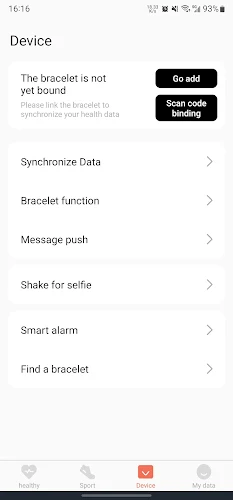
Pair: Activate your ZGfit wristband and connect it to the app via Bluetooth.
Sync: Ensure the app syncs with your wristband for accurate data tracking.
Set Up Profile: Input personal details such as age, weight, and height for precise tracking.
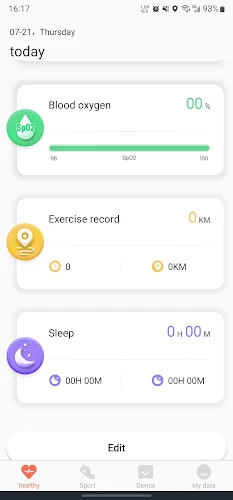
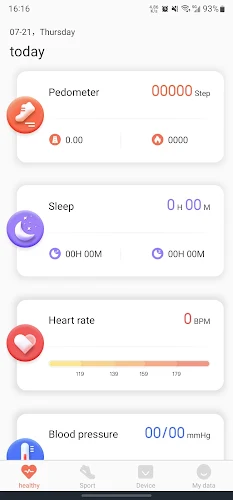
Explore: Browse the dashboard to view daily steps, calories burned, heart rate, and sleep data.
Customize: Define personal goals and adjust notification settings on the wristband.
Check In: Regularly review the app to monitor progress and stay motivated.
1.1.8
18.80M
Android 5.1 or later
tjd.lefun.customize.zgfit