
WiGLE WiFi Wardriving is an open-source powerhouse for wireless network enthusiasts who want to explore, map, and log Wi-Fi networks and cell towers from anywhere in the world. Transform your Android device into a full-featured wardriving tool and start detecting networks with precision. Packed with features like real-time mapping, GPS tracking, offline functionality, and seamless data export, WiGLE empowers users to collect, analyze, and share wireless data with ease. Best of all, it's completely free, respects user privacy, and supports a wide range of Android devices—no strings attached.
Features of WiGLE WiFi Wardriving
- GPS Estimation: Leverage built-in GPS to accurately log the geographic locations of every Wi-Fi network and cell tower you encounter.
- Local Database: All detected networks are automatically saved to your device’s local database, letting you review and manage your discoveries anytime.
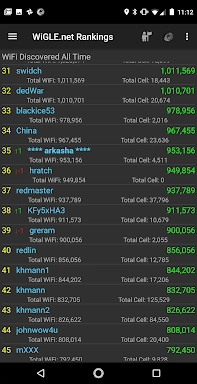
- Global Leaderboard: Upload your findings to WiGLE.net and climb the ranks on the global leaderboard—perfect for turning exploration into friendly competition.
- Real-Time Map: Visualize nearby networks instantly on an interactive map, enhanced with overlays from WiGLE’s massive global dataset for deeper insights.
Tips for Getting the Most Out of WiGLE
- Stay Active: Keep the app running while on the move to ensure continuous GPS tracking and accurate network logging.
- Compete With Friends: Challenge fellow wardrivers to see who can discover the most networks—perfect for group adventures or tech meetups.
- Explore New Areas: Take WiGLE with you on trips or daily commutes to uncover new networks and enrich your personal and community data.
How to Use WiGLE WiFi Wardriving
- Download the App: Get WiGLE WiFi Wardriving from the Google Play Store or alternative platforms like F-Droid.
- Set Up Your Device: Make sure GPS is enabled on your Android device to allow accurate location tagging during scans.
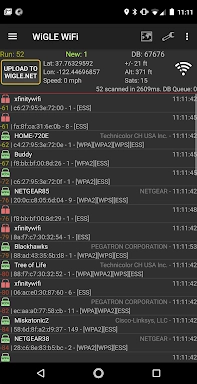
- Scan for Networks: Launch the app and begin scanning—WiGLE will automatically detect nearby Wi-Fi networks and cellular towers.
- View Results: Switch between map and list views to explore detected networks with full details including SSID, signal strength, and location.
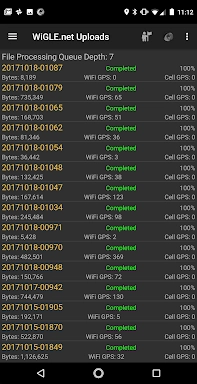
- Contribute to the Community: Optionally upload your scan logs to the WiGLE database and help build a more complete picture of global wireless coverage.
- Use Offline: No internet? No problem. WiGLE continues logging data offline and syncs everything once connectivity is restored.
- Export Data: Need to analyze your findings? Export your scans in multiple formats such as CSV, KML, or SQLite for personal use or research.
- Check Permissions: Ensure the app has necessary permissions, especially location access, which is critical for GPS tagging and network mapping.
- Troubleshooting: Encountering issues? Refer to the official documentation or join the active community forums for help and tips.
- Respect Privacy and Legalities: Always use WiGLE responsibly. Be aware of local laws regarding wireless network detection and ensure you're not violating any regulations.
Conclusion
WiGLE WiFi Wardriving delivers an engaging, educational, and technically rich experience for anyone interested in wireless networks. With robust tools like real-time mapping, GPS integration, and global data sharing, it turns everyday exploration into meaningful data collection. Whether you're a hobbyist, researcher, or just curious about the invisible networks around you, WiGLE opens the door to a whole new world of wireless discovery. Download [ttpp] WiGLE WiFi Wardriving [yyxx] today and start mapping the unseen!
2.88
10.40M
Android 5.1 or later
net.wigle.wigleandroid