
WiFi AR is a cutting-edge application that brings your WiFi and cellular networks to life through augmented reality. It enables you to pinpoint the ideal access points by showing real-time signal strength, connection speeds, and ping metrics. The app also highlights nearby networks that could disrupt your signal, helping you fine-tune multiple routers for peak performance.
WiFi AR Features:
- Speed Value: Quickly view your current connection speed.
- Ping Value: Locate zones with minimal latency for seamless online gaming on WiFi or 5G/LTE.
- Interference Networks: Spot nearby networks that might degrade your connection, so you can adjust your router to a clearer channel.
- Best WiFi AP Detection: Verify your device switches effectively between multiple routers in your home setup.
WiFi AR Interface
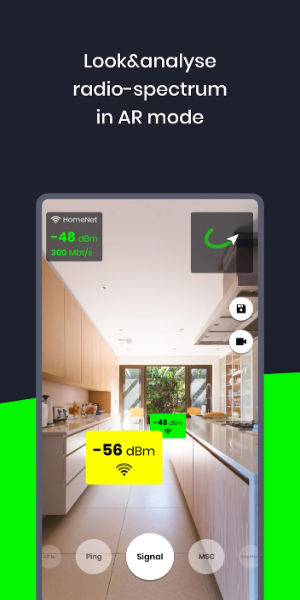
- Camera View: The main screen shows a live feed from your rear camera, letting you view your environment in real time.
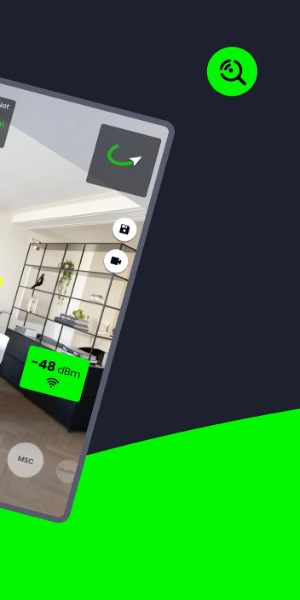
- Augmented Data Overlay: This layer superimposes visual WiFi information onto the camera view, featuring signal bars, network names (SSID), security icons, and directional indicators to nearby access points.
- Network List: An available WiFi networks list or grid displays network names, signal strength, and encryption status. Tap any network for more details or to connect.
- Navigation Controls: On-screen buttons or gestures let you interact with AR elements—zooming, rotating the display, or accessing extra features.
- Settings and Options: Customize the app's behavior, adjust AR display preferences, or use advanced tools like network diagnostics and signal optimization.
- Help and Support: Get assistance through pop-ups, tooltips, or a help section for effective app usage.
- Signal Visualization: Apart from signal bars, color codes or graphics show the quality and strength of surrounding WiFi signals.
- Alerts and Notifications: Receive alerts for potential WiFi problems like weak signals or network congestion.
- 3D Objects: Certain WiFi AR apps display 3D models of routers or access points in the overlay for easy hardware identification.
- Connectivity Status: An indicator shows if your device is connected to WiFi and the current connection status (e.g., connected, disconnected, obtaining IP address).
What's New
Updated Wi-Fi modes. Added Band/IEEE mode/max Tx/Rx rate
Fixed video recording issues on selected devices
5.9.3
9.80M
Android 5.1 or later
ua.com.wifisolutions.wifivr