
Play DC: Dark Legion™ on MAC for Ultimate Immersion
DC: Dark Legion™ offers an exhilarating gaming experience, immersing players in a dynamic world filled with action, strategy, and the iconic characters of the DC Universe. Fans of DC and strategy gamers can now enjoy the thrilling battles of DC: Dark Legion™ on their MAC devices, achieving a new level of performance, visuals, and precision. Thanks to BlueStacks Air, MAC users can easily access this game, featuring some of the most legendary DC heroes and villains. Our exploration on a MacBook revealed why this is a game-changer!
How to Install and Start Playing DC: Dark Legion™ on BlueStacks Air
Follow these simple steps to begin your DC: Dark Legion™ journey on your Mac:
- Download BlueStacks Air: Visit the game’s page and click the “Play DC: Dark Legion™ on MAC” button to download the installer.
- Install BlueStacks Air: Double-click the BlueStacksInstaller.pkg file and follow the wizard to complete the installation.
- Launch and Sign-In: Open BlueStacks Air from the Launchpad or Applications folder. Sign in with your Google account to access the Play Store.
- Install DC: Dark Legion™: Search for DC: Dark Legion™ in the Play Store and install it.
- Enjoy the Game!: Launch the application and dive into your superhero adventures!
Dive Into an Immersive DC Universe with Breathtaking Visuals
The DC Universe is renowned for its rich lore, stunning cities, and visually striking battles. DC: Dark Legion™ brings these elements to life with spectacular detail. From the dark alleys of Gotham to the skies above Metropolis, playing on a MAC with Retina Display enhances the realism and engagement of these environments.
With BlueStacks Air, you can experience the game in full-screen mode, ensuring every moment of action is maximized. No more squinting at a small phone screen—enjoy high-definition superhero combat with smooth frame rates and vibrant colors. The intricate designs of your favorite heroes and villains appear even more dynamic, turning every battle into an epic cinematic experience.
Unleash Your Full Potential with Keyboard and Mouse Precision
DC: Dark Legion™ features a strategic real-time combat system where players can manually control their heroes' ultimate abilities. While this system has been criticized for its lack of interactivity, seasoned players understand the importance of timing, especially during boss fights. Mobile touch controls can be slow and imprecise, complicating navigation through multiple UI interfaces and timing crucial abilities in battle. However, BlueStacks Air on MAC offers the advantage of customizable keyboard and mouse controls.
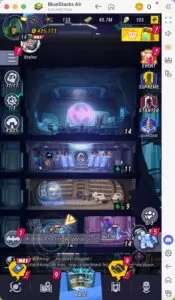
BlueStacks provides predetermined controls for each game, including DC: Dark Legion™. To view these controls, use the Mac keyboard shortcut SHIFT + TAB. If the default settings don't suit you, you can easily customize them. Create your own control schemes and assign different key bindings to various tasks within the game. For instance, you can set the key "S" to open the summoning cube system simply by hovering over the relevant area in-game. Such custom bindings enhance efficiency and save valuable time.
Say Goodbye to Battery Worries and Mobile Distractions
Mobile gaming often comes with drawbacks such as battery drainage, overheating, and constant notifications that can disrupt intense gaming moments. Playing DC: Dark Legion™ on a MAC with BlueStacks Air eliminates these issues. Enjoy extended gameplay without worrying about battery life or performance drops. Additionally, a dedicated MAC setup means no interruptions from phone calls, messages, or app notifications. Whether you're in the midst of a boss battle or a crucial team fight, you can focus entirely on leading your heroes to victory.
If you're ready to unleash your inner hero or mastermind villain strategies, DC: Dark Legion™ on MAC with BlueStacks Air is the ultimate way to experience the game. Step into the action and redefine how you play in the battle for supremacy!









-
1
![Roblox Forsaken Characters Tier List [UPDATED] (2025)](https://imgs.ksjha.com/uploads/18/17380116246797f3e8a8a39.jpg)
Roblox Forsaken Characters Tier List [UPDATED] (2025)
Mar 17,2025
-
2
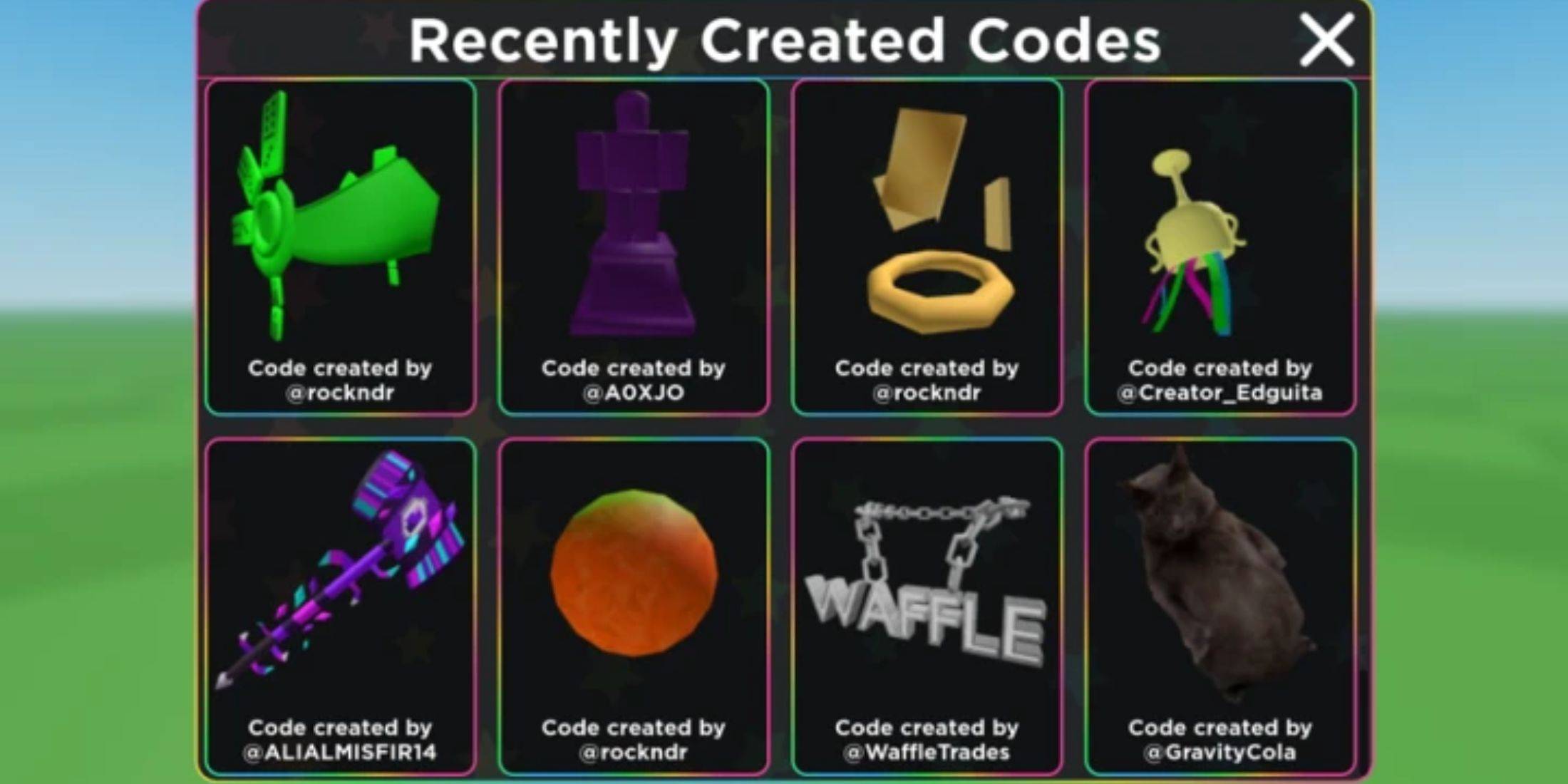
Roblox UGC Limited Codes Unveiled for January 2025
Jan 06,2025
-
3
Stardew Valley: A Complete Guide To Enchantments & Weapon Forging
Jan 07,2025
-
4
Pokémon TCG Pocket: Troubleshooting Error 102 Resolved
Jan 08,2025
-
5
Free Fire Characters 2025: Ultimate Guide
Feb 20,2025
-
6
Blood Strike - All Working Redeem Codes January 2025
Jan 08,2025
-
7
Roblox: RIVALS Codes (January 2025)
Jan 07,2025
-
8
Delta Force: A Complete Guide to All Campaign Missions
Apr 09,2025
-
9

Blue Archive Unveils Cyber New Year March Event
Dec 19,2024
-
10
Cyber Quest: Engage in Captivating Card Battles on Android
Dec 19,2024
-
Download

A Simple Life with My Unobtrusive Sister
Casual / 392.30M
Update: Mar 27,2025
-
Download
![Corrupting the Universe [v3.0]](https://imgs.ksjha.com/uploads/66/1719514653667db61d741e9.jpg)
Corrupting the Universe [v3.0]
Casual / 486.00M
Update: Dec 17,2024
-
Download

Ben 10 A day with Gwen
Casual / 47.41M
Update: Feb 24,2025
-
4
Random fap scene
-
5
Oniga Town of the Dead
-
6
Cute Reapers in my Room Android
-
7
A Wife And Mother
-
8
Permit Deny
-
9
My School Is A Harem
-
10
Utouto Suyasuya