
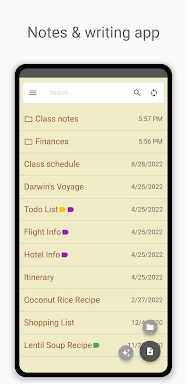
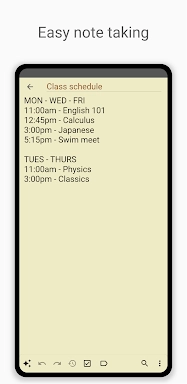
Inkpad Notepad & To do list is a sleek, intuitive app built for seamless note-taking and efficient task management. Whether you're jotting down quick ideas, organizing your daily to-dos, or planning long-term projects, Inkpad makes it easy with a clean interface and powerful features. One of its standout qualities is automatic saving—your content is saved in real time, so you never lose important information. Create detailed checklists within your notes to break tasks into manageable steps, and use the fast search function to locate any note in seconds. The app supports cross-device synchronization across Android and iOS, so your notes stay updated no matter which device you're on. With secure online backup and restore capabilities, your data is protected and easily recoverable. You can even access your notes from any web browser at [ttpp], giving you flexibility and peace of mind. An integrated AI chat assistant boosts productivity by helping you refine your notes, generate ideas, or learn new concepts on the fly. For enhanced security and advanced functionality, premium users can enjoy features like PIN Code protection and Note History, letting you track changes and keep sensitive information private.
Features of Inkpad Notepad & To do list:
⭐ Autosave Notes⭐ Checklists/To-do-list Notes
⭐ Search Notes
⭐ Sync Notes Across Android/iOS Devices
⭐ Secure Online Backup/Restore
⭐ AI Chat Assistant for smart note editing, brainstorming, and learning
How to use this app?
Download and Install: Get the app from your device's app store.Open the App: Launch Inkpad and start exploring its interface.
Create a New Note: Tap the add button to create a new note or to-do item.
Use the AI Assistant: Engage with the AI chat assistant for smart editing and brainstorming.
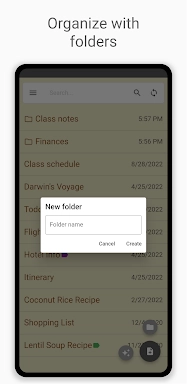
Organize with Checklists: Turn some notes into checklists to keep track of tasks.
Search Notes: Use the search function to quickly find notes.
Sync Across Devices: Set up an account to sync notes between your devices.
Secure Backup: Utilize the secure online backup feature to prevent data loss.
Access from Browser: Access your notes through the InkpadNotepad.com web browser at [yyxx].
Upgrade to Premium: Consider the premium upgrade for additional features like PIN Code and Note History.
4.3.14
4.30M
Android 5.1 or later
com.workpail.inkpad.notepad.notes